Design Your Own Gift With the Gitzie Design Tool
Design your own gift with the Gitzie design tool: add names, build characters, upload photos or turn them into art, and see a live preview first.

In this article
Most “personalized” gifts stop at a name in one font. At Gitzie you can go a lot further. Every product page has a built-in design tool that lets you design your own gift right in your browser: type the names, build characters that look like your family, add a photo, and watch the result appear on the product as you work.
There’s nothing to download and no design skills needed. You make choices, the preview redraws, and what you see is what we print.
This article is a tour of what the tool can do and which kind of design suits which gift. If you’d like to try it right away, our custom character gifts show it off best.
What the Gitzie Design Tool Is
On each product page, below the size and color options, you’ll find a panel called Personalize it. It breaks the design into numbered steps, so you always know how many are left. Required steps are marked with a star.
Depending on the design, a step can be:
- a text box for a name, a date or a message
- a set of pictures or color dots to choose from (hairstyles, outfits, dog breeds)
- a photo upload
- a list of names for a word puzzle
The product image at the top of the page is a live preview. Each time you change a step, it redraws to show your version, not a sample.
Six Ways to Design Your Own Gift
Not every gift is personalized the same way. Here are the main kinds of designs you’ll find, and what each one is good for.
1. Names, Dates and Messages
The simplest designs take words: a family name, the kids’ names, a wedding date, a short message. A counter shows how many characters you have left, and each design sets its own limit so the text stays readable on the finished product. Dates use a date picker, which keeps the format tidy.


Good for: quick gifts, people you don’t know well, anything where a name says enough. Browse them all in custom name gifts.
2. Word Puzzles Made From Names
Crossword and Scrabble style designs take a list of names and fit them together into one puzzle. You type each name and add it to the list, and the tool tells you how many you can include. These designs use letters A to Z only.
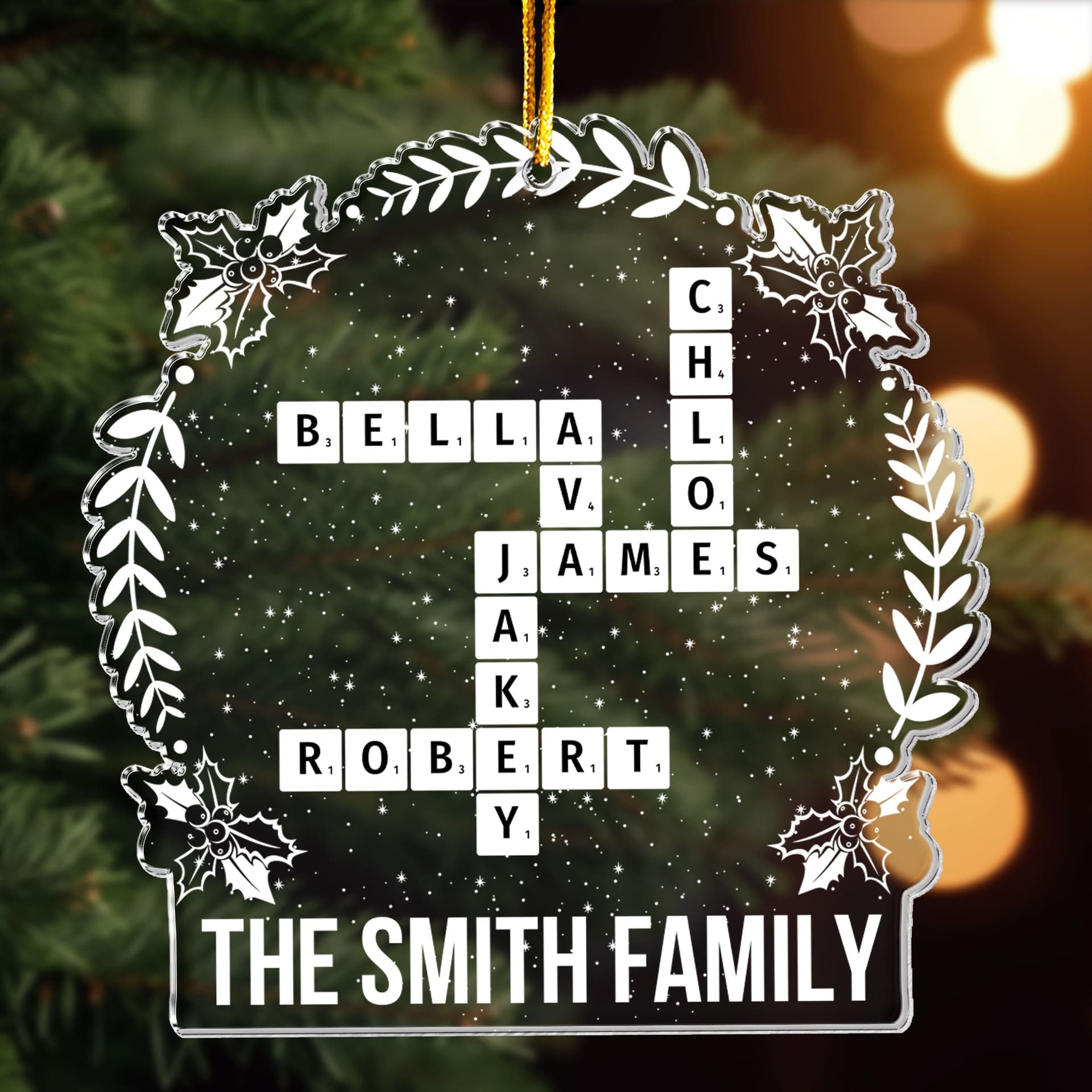
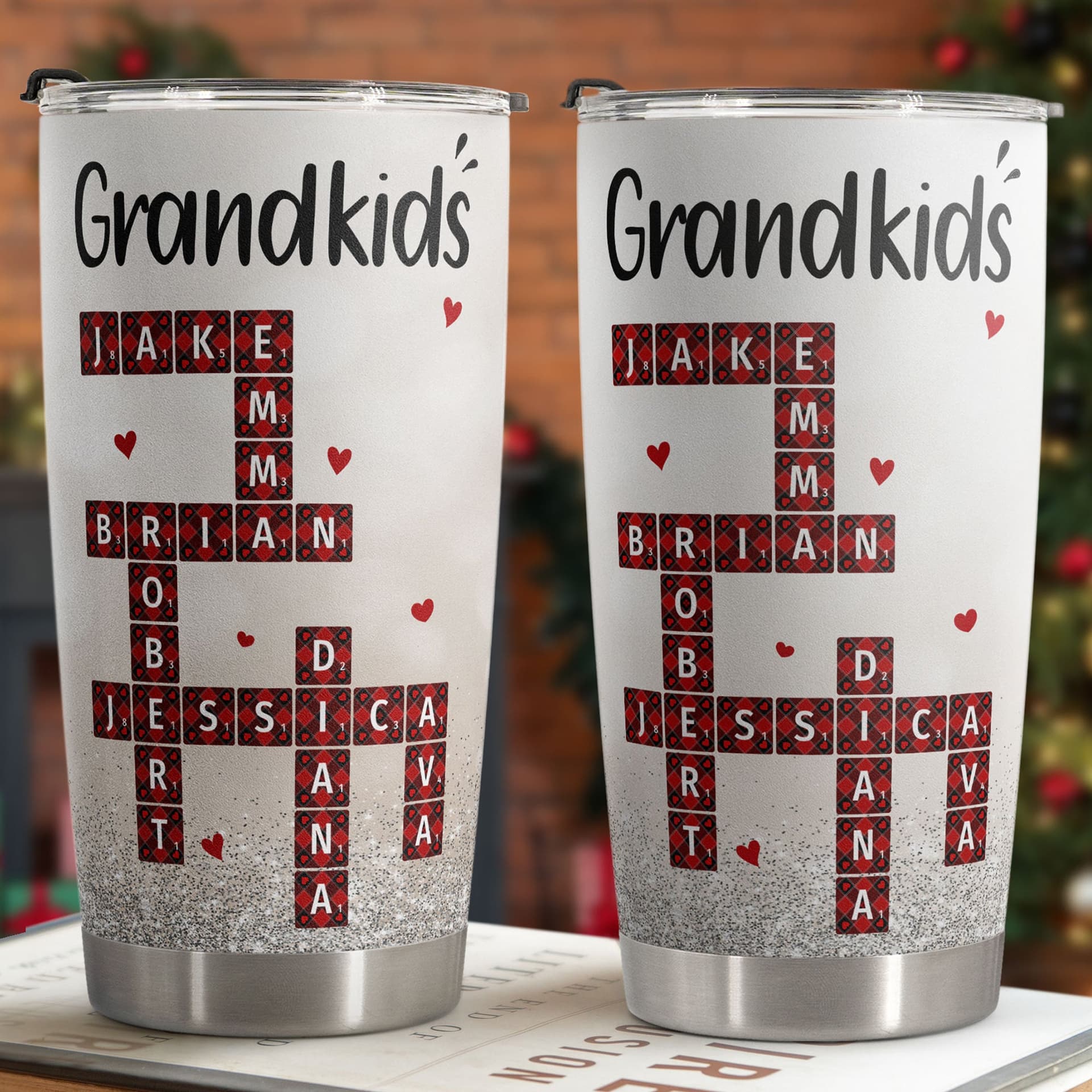

Good for: big families, grandparents with a long list of grandkids, and teams.
3. Characters That Look Like Your Family
This is the part people enjoy most. On character designs, you build each person from choices such as hairstyle, hair color, skin tone, outfit and accessories. Designs with several people are split into sections (like “Woman 1” or “Man 2”), and once you type a name, the section shows it, so it’s easy to keep track of who is who.


Good for: family gifts, couple gifts and anything where you want the whole group in one picture. See every design of this kind in custom character gifts.
4. Pets by Breed and Coat
Pets get the same treatment. On a dog design, for example, you narrow down by breed and then choose the coat color, so the dog on the gift looks like the dog on the couch. Add the pet’s name and you’re done.
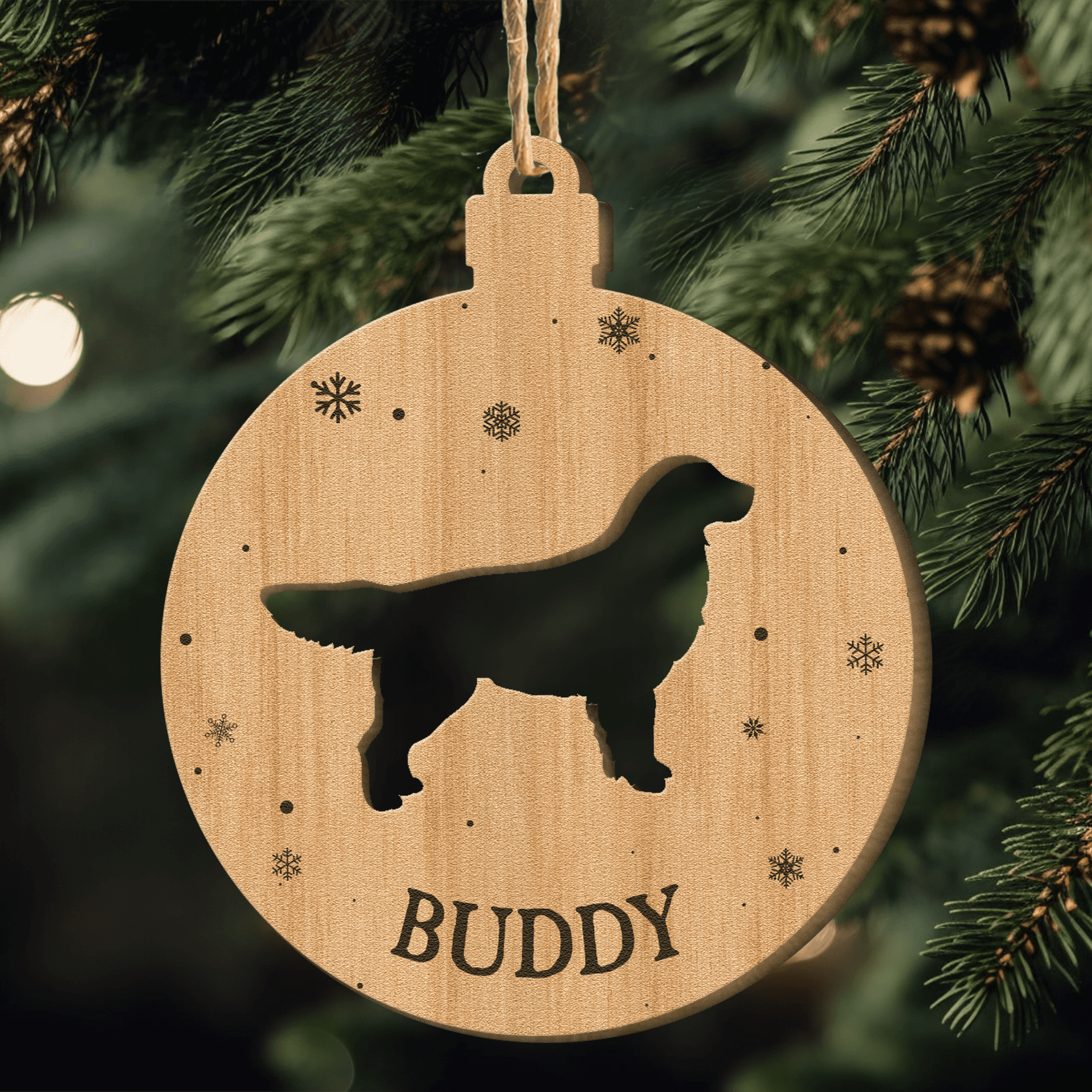


Good for: dog moms, dog dads and anyone who signs cards from the pet. More in gifts for dog lovers.
5. Your Own Photos
Photo designs have an upload step. Choose a JPG or PNG from your phone or computer. On designs that place a person or pet on artwork, the background is removed automatically, usually in a few seconds. Then you use the Zoom, Left/Right and Up/Down sliders to position the picture until it sits right in the preview.


Good for: memories you already have on your camera roll. Our guide to personalized photo gifts covers which photos print best, and the full range is in photo gifts.
6. Photos Turned Into Art
On selected designs, you can go one step further. Upload a photo, pick an art style, and our AI redraws the picture in that look in about 20 seconds. Depending on the design, styles include watercolor, sketch, line art and oil painting. The result shows on the live preview before you order, and you can change the photo or the style and try again as often as you like.


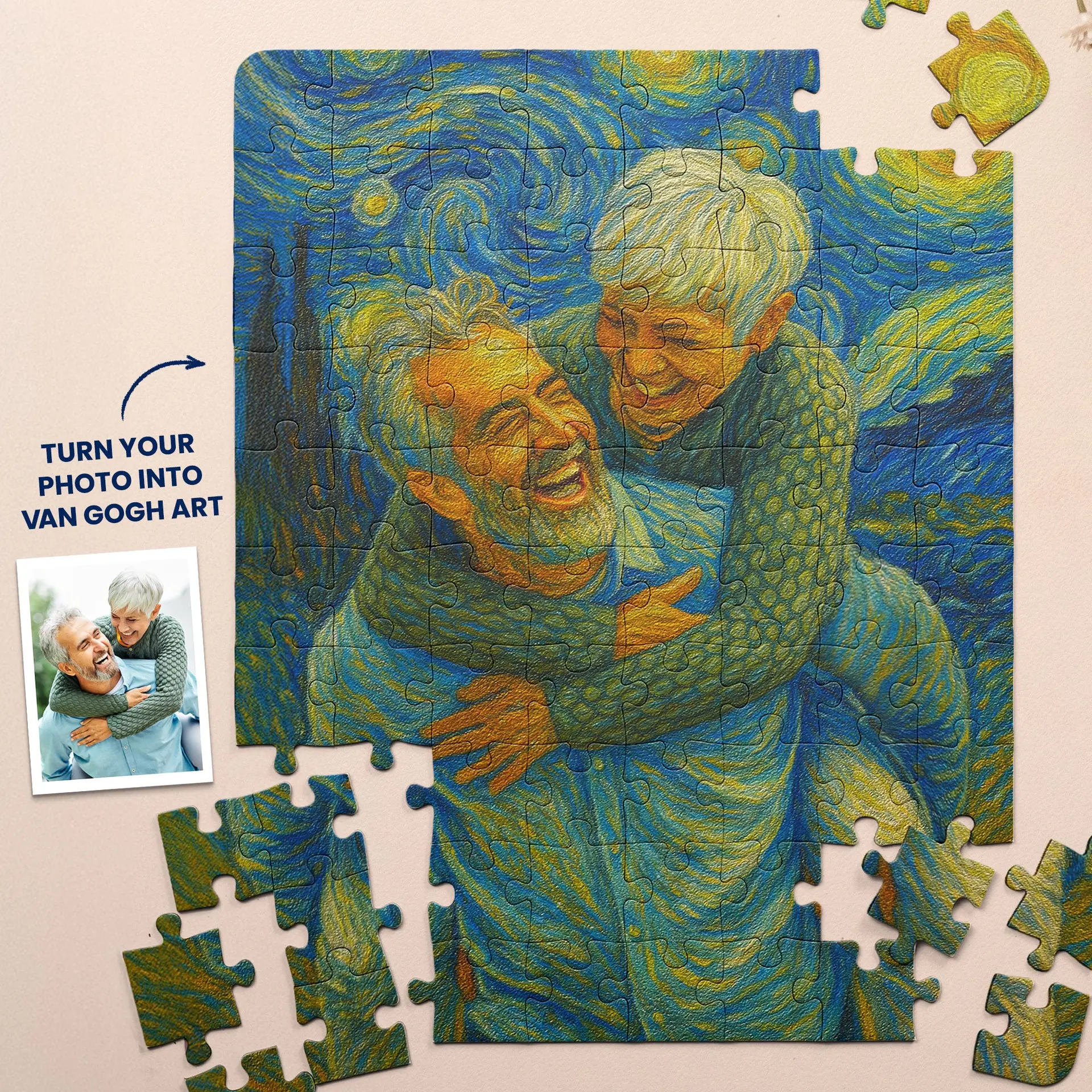
Good for: a portrait feel without booking an artist. See them in photo to art gifts.
Birth Flowers and Other Themed Designs
Some designs are built around a theme instead of a face. Birth flower designs are a favorite: each month of the year has its own flower, so a bouquet or a mug can quietly stand for the people in a family.


Browse the whole theme in birth flower gifts. They are a natural fit for a birthday, and our personalized birthday gifts guide has more ideas by age and recipient.
What Makes the Tool Easy to Trust
Designing a gift yourself only works if you can be sure of the result. A few things in the tool are there for exactly that reason.
- Live preview. The preview is drawn from the same file we print, so names, characters, colors and photo position come out as you set them.
- A highlight on what changed. The first time you edit a step, a frame flashes around the spot on the product where that change shows.
- No blank spots. If you try to add the gift to your cart with a required step empty, the tool tells you which step numbers are missing.
- Only options we can make. Size, color and material combinations that aren’t available are grayed out.
- Your work is saved. An unfinished design is kept as you go and comes back when you reopen the product page in the same browser.
- It works on a phone. Tap Preview in the side rail to open a large view of your design at any time.
How to Pick the Right Kind of Design
A quick way to decide:
| If you have... | Choose... |
|---|---|
| Only their name | A name, date or message design |
| A long list of names | A crossword or Scrabble style design |
| A good idea of how they look | A custom character design |
| A pet with a known breed | A breed and coat design |
| One great photo | A photo design |
| A photo you’d love as a painting | A photo to art design |
If you’re torn between a photo and characters, think about the photo itself. A sharp, well-lit picture deserves a photo design. If the only pictures you have are blurry or badly lit, characters will look cleaner.
Ready for the details? Our step-by-step guide on how to personalize a gift online walks through every step of the tool with tips for names, dates and photos.
FAQ
Do I need design skills to design my own gift?
No. The artwork is already made. You choose from pictures and color dots, type your text and upload a photo if the design uses one. The tool puts it all together and shows you the result.
Does the design tool cost extra?
No. The tool is part of every product page, and adding names, characters or a photo doesn’t change the price. The price shown on the page depends on the product options you pick, such as size, color or material.
Can I see my design before I buy?
Yes. The preview on the product page updates as you work and shows your own names, characters and photos. On a phone, tap Preview to see it large.
Can I use the design tool on my phone?
Yes. It works on phones, tablets and computers. Your unfinished design is saved in the browser you’re using, so reopen the product in that same browser to continue.
What happens to the photo I upload?
It’s placed on your design so you can position it in the preview. On AI style designs, your original photo stays with your order so we can check the print against it.
Start With One Name or One Photo
The easiest way to learn the tool is to open a product and change one thing. Type a name, swap a hairstyle or upload a picture, and watch the preview follow.
Build your family in custom character gifts, keep it simple with custom name gifts, or start from a picture in photo gifts. Shopping for the holidays? Our personalized Christmas gift ideas have ideas for everyone on your list.
Keep Reading
All articles
How to Personalize a Gift Online, Step by Step
How to personalize a gift online with our design tool: add names and dates, build characters, upload a photo and check the live preview before you order.
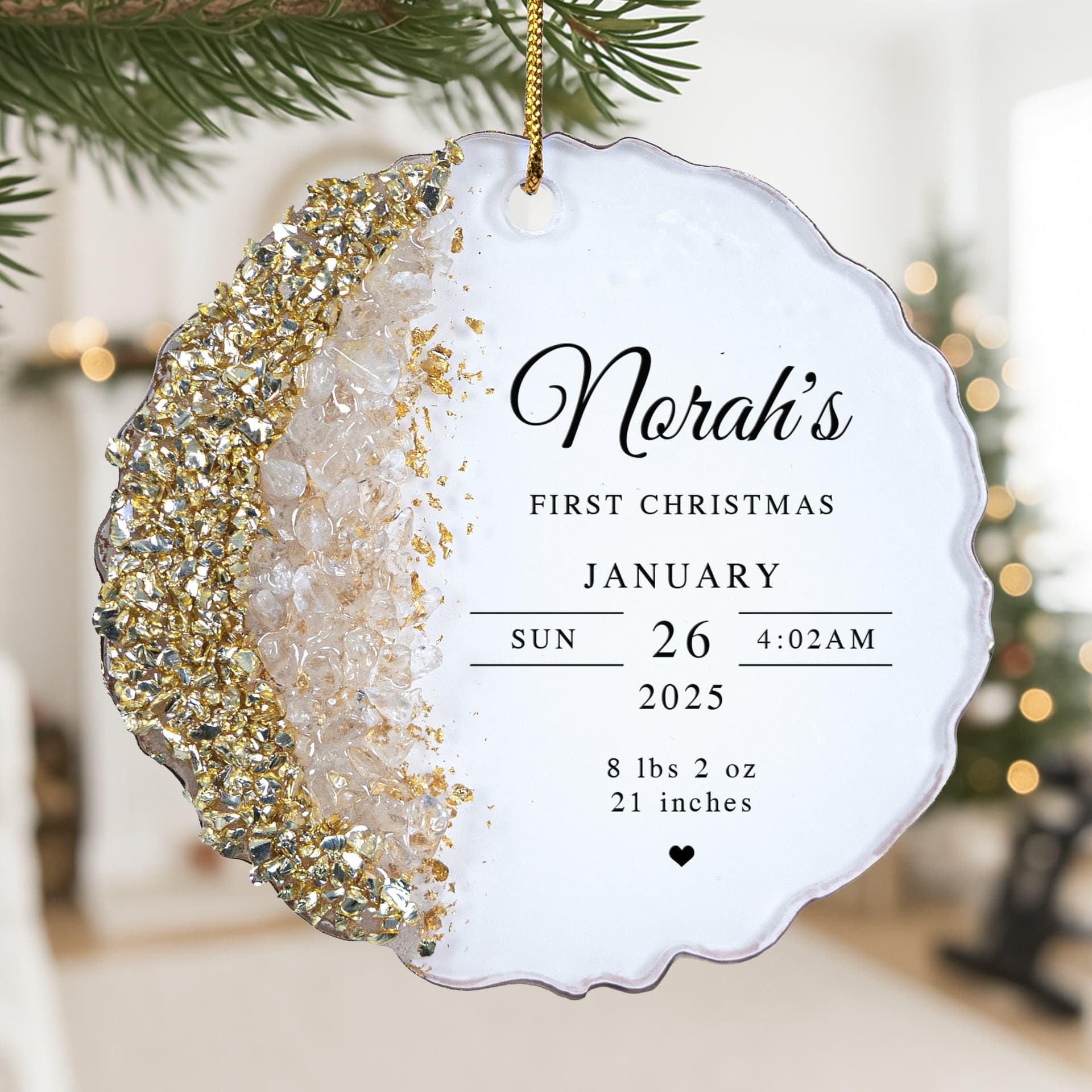
Baby’s First Christmas Gifts They’ll Treasure for Years
Baby’s first Christmas gifts worth keeping: ornaments, stockings, onesies and blankets with the baby’s name, photo and birth details.

Personalized Christmas Gifts for Grandkids They’ll Love
Personalized Christmas gifts for grandkids: stockings, ornaments, pajamas and blankets with their name, picked by grandparents who want to share the magic.